Upload supporting documents
Every contract, receipt, and report in one searchable place, tagged and linked to the grant it belongs to.
Under 2 CFR 200.334, federal award records have to be retained for three years after the final report. TideWatch keeps every document versioned, tagged, and searchable so that requirement is a click, not a scramble through email.
Open the Documents tab
From any grant, click Documents. You'll see all files attached to this grant, grouped by category (Contracts, Financial, Programmatic, Certifications, Other) with a search bar at the top.
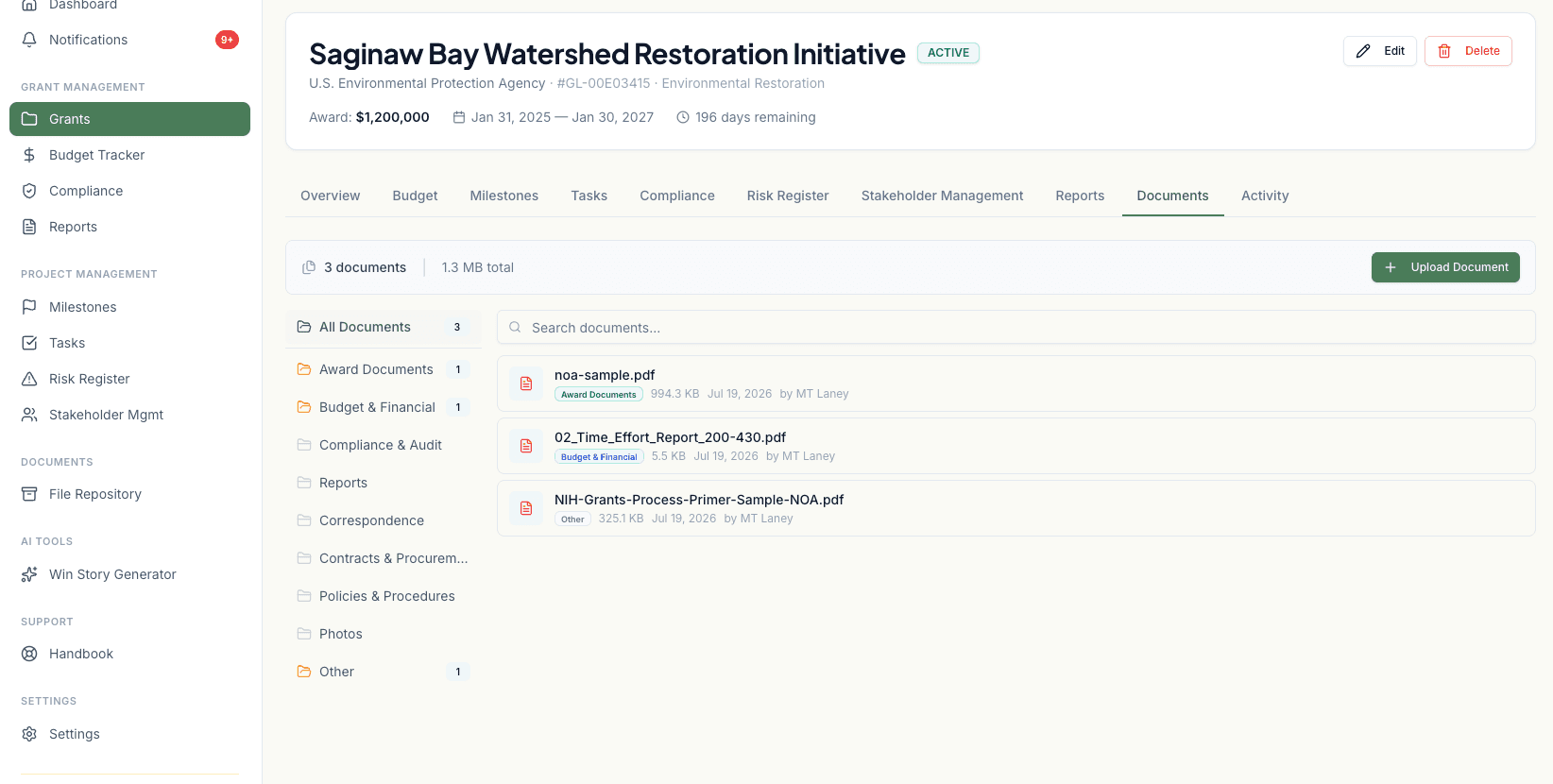
Click Upload Document
Drag files into the dialog or use the file picker. You can upload multiple files at once. They'll go through the same categorization step together.
Tag each file
For each document, pick a category, add a short description, and optionally link it to a specific compliance item, budget line, or milestone. Linking documents this way is what makes the audit trail actually usable.
Set retention (optional)
By default, TideWatch calculates retention from the grant's closeout date plus three years, per 2 CFR 200.334. If a specific document has a different retention rule (say, procurement files with a longer requirement), override it here.
Save and search
Uploaded documents are searchable across their filename, description, and tags. Full-text search over PDF and Word contents runs for all uploads under 25 MB.