Generate your first impact report
Turn milestones, budget actuals, and program data into a funder-ready narrative in an afternoon, not a week.
The Win Story Generator reads what's already in your TideWatch account (milestones you've hit, dollars you've spent, deliverables completed, photos tagged by phase) and drafts a narrative report ready for a funder, board packet, or grant renewal.
Open the Reports tab
From any grant, click Reports. You'll see all the reports you've built for this grant, plus a Generate Report button in the top right.
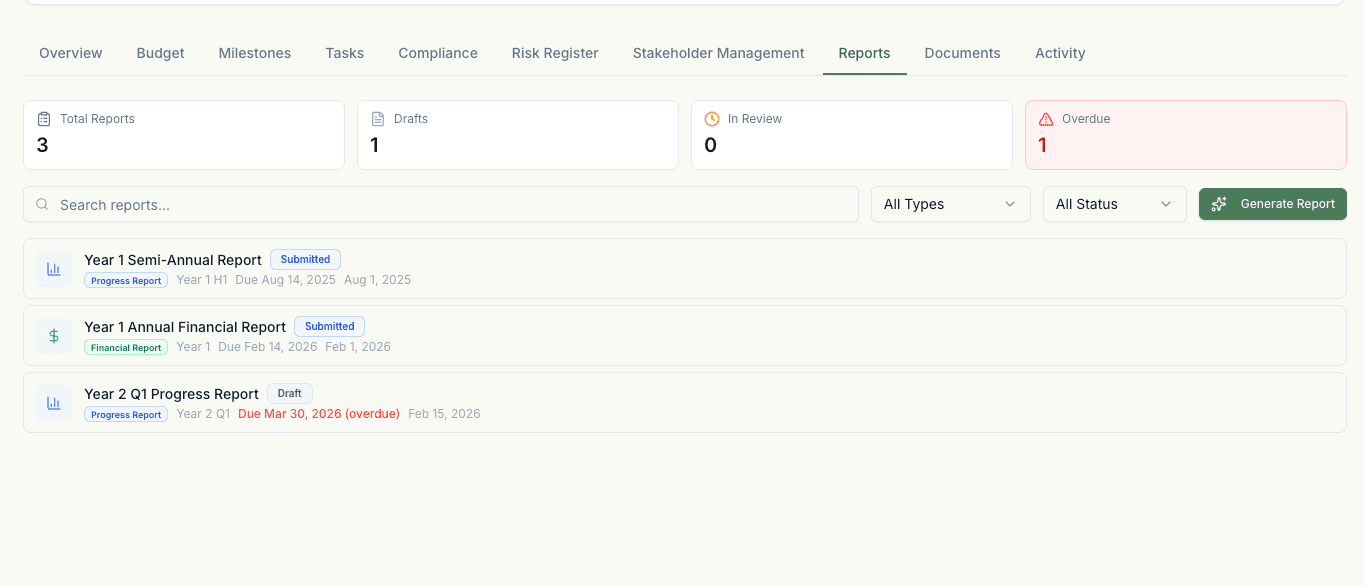
Pick the report type
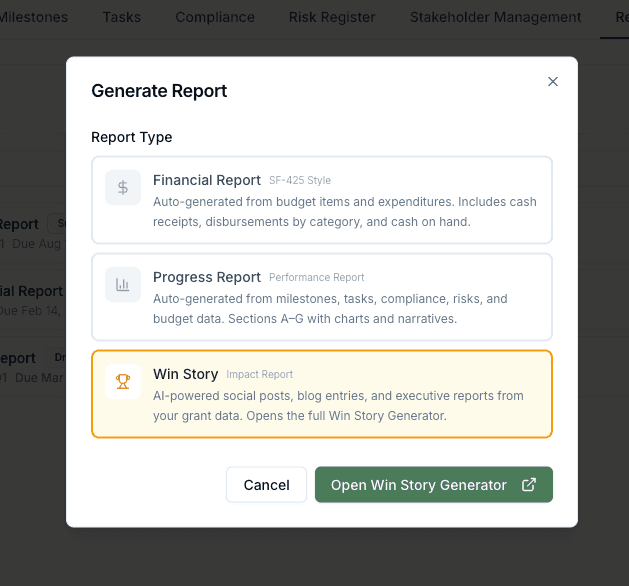
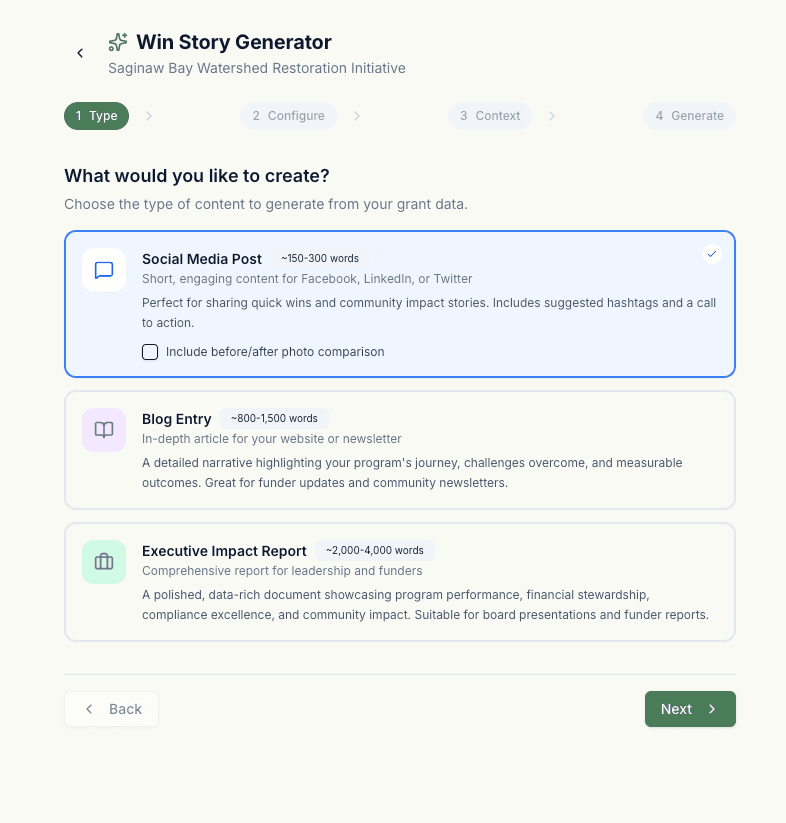
Choose Impact Report for a narrative summary, Financial Report for a numbers-first document with budget tables, or Progress Report for a periodic update. Impact Report uses the AI Win Story Generator.
Set the scope
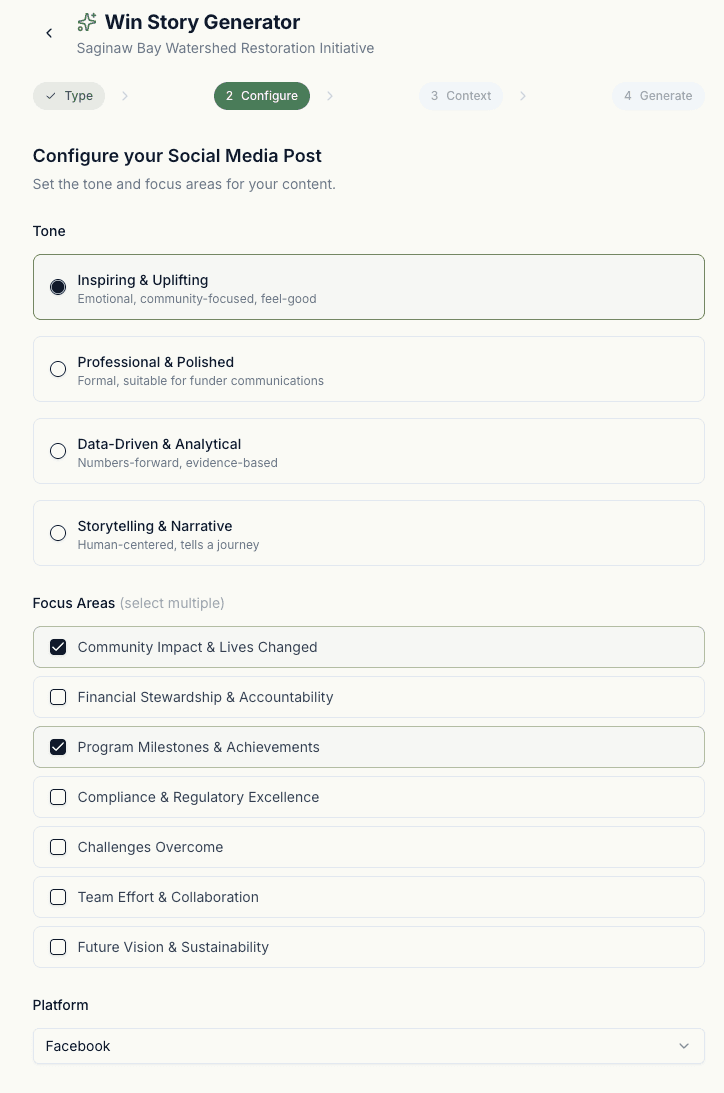
Choose the reporting period (quarter, half-year, full grant period, or custom dates), select the tone (Formal, Warm, Persuasive), and pick the audience (Federal funder, Foundation, Board, Public). These shape the vocabulary and structure of the draft.
Review and edit
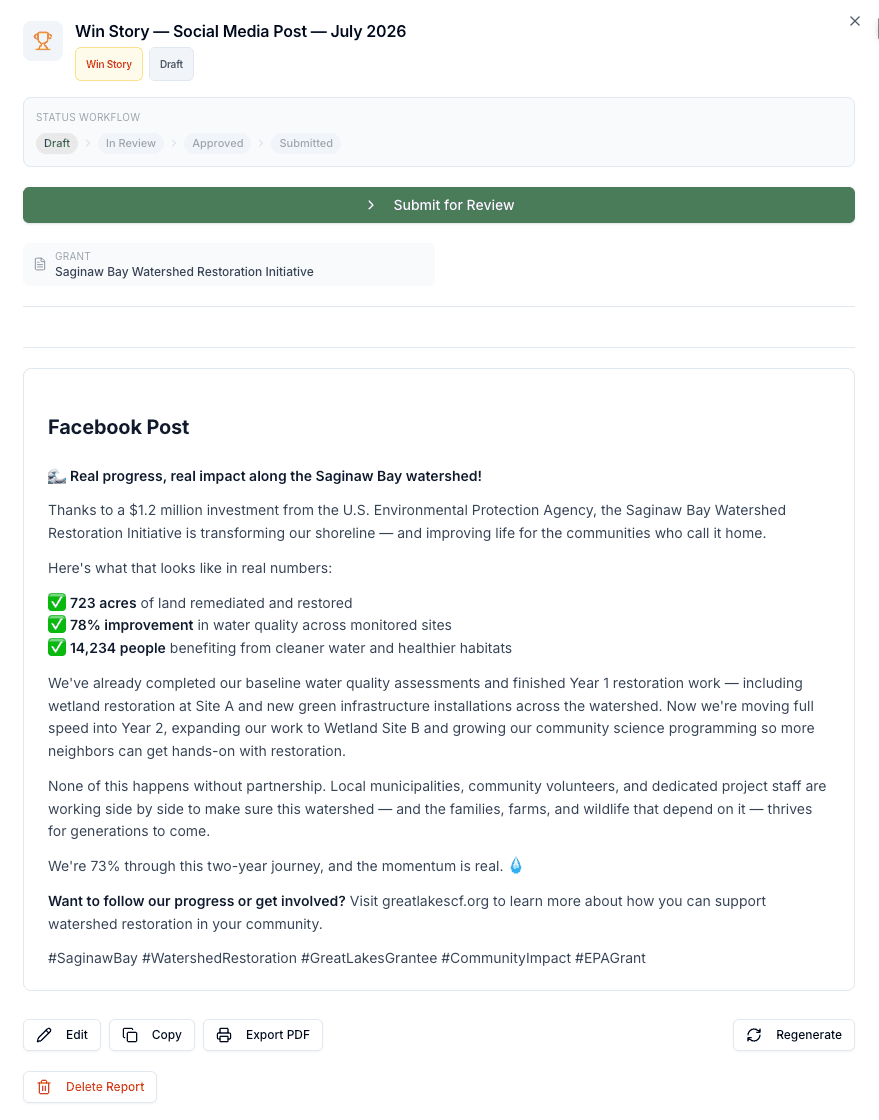
The AI produces a draft with a headline, executive summary, sections keyed to your milestones, a financial summary, and a call to renewal or next steps. Every fact traces back to a source in your grant. Click any number or claim to see where it came from.
Export
Export as PDF for funder submission, DOCX for further editing in Word, or plain HTML to embed in an email. Photos tagged in your Documents tab flow in automatically if they match the report's period.