Add compliance items and deadlines
Track every condition of award (reports due, certifications required, evidence to attach) with automatic reminders.
Compliance items are TideWatch's answer to the reporting calendar you'd otherwise keep in a spreadsheet. Each item is a promise you made in the application, a rule from 2 CFR Part 200, or a funder-specific requirement, with a due date and evidence when you complete it.
Open the Compliance tab
From any grant, click Compliance in the tab strip. You'll see items grouped by status (On Track, Due Soon, and Overdue) with progress against the whole compliance checklist.
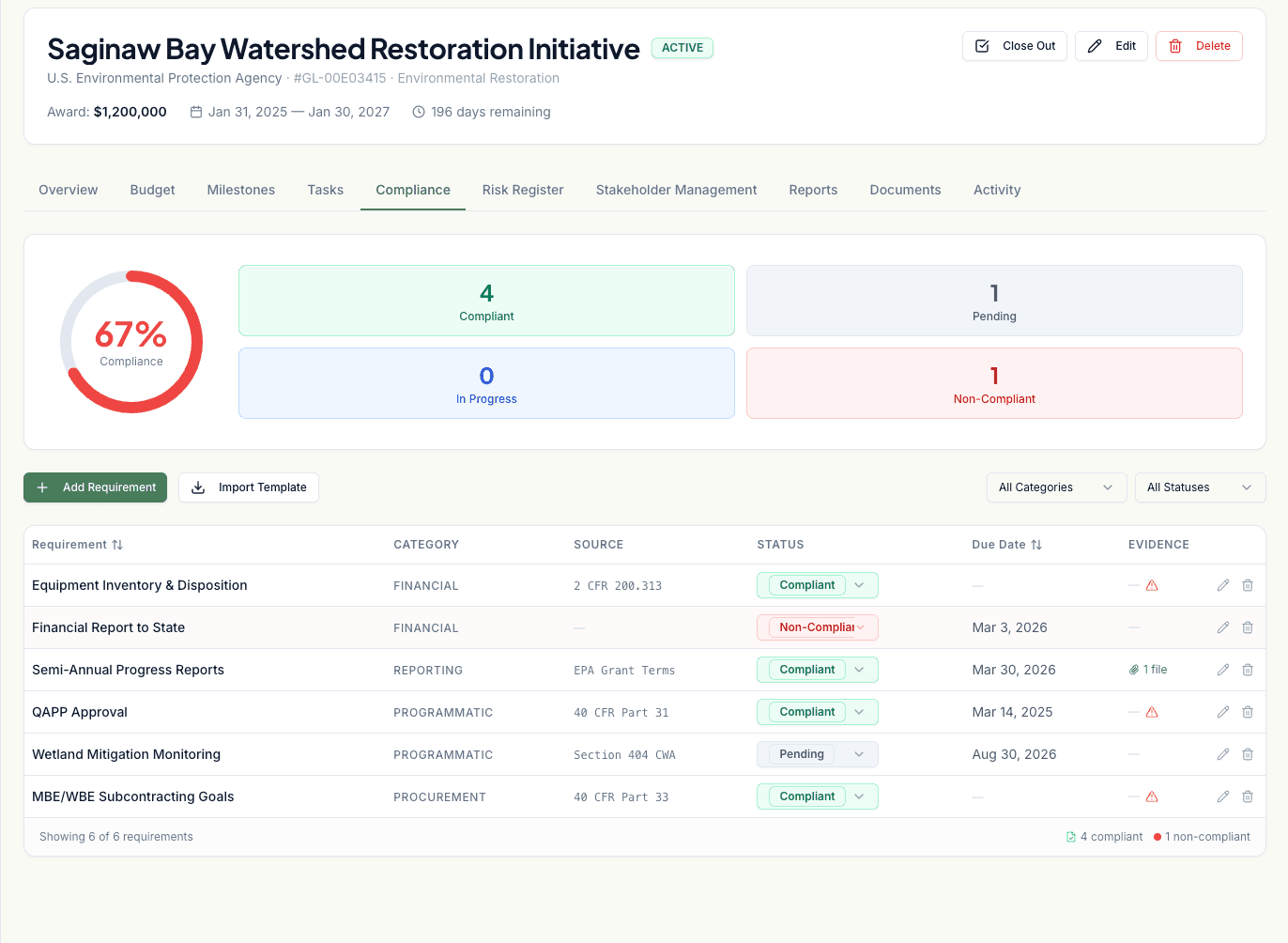
Click Add Compliance Item
The dialog asks for the requirement text, category (Financial, Programmatic, Reporting, Certification, or Other), source (the funder or the regulation), and due date.
Choose from templates or start fresh
For federal grants under 2 CFR 200, use the Uniform Guidance template. It pre-populates the common quarterly financial report, effort certification, and continuing review items with the right categories and reference numbers.
Attach evidence when you complete an item
When you mark an item Complete, upload the artifact: the submitted report, the signed certification, the board resolution. It stays linked forever, so if an auditor asks in two years you can produce it in seconds.
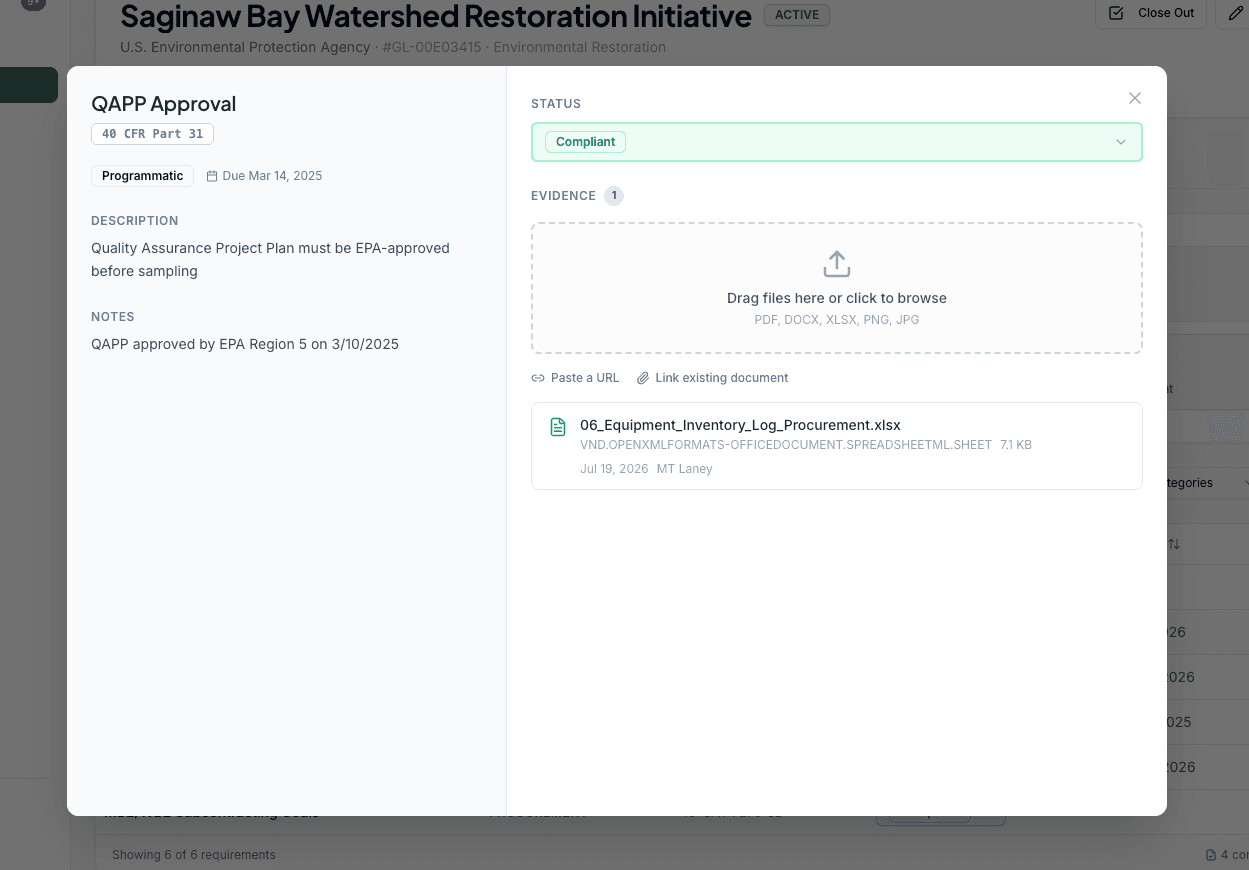
Let the alerts run
TideWatch sends in-app notifications and daily-digest emails as items approach their due date: 30 days out, 7 days out, and the day before. You can turn either channel off in Settings > Notifications.