Invite teammates and set roles
Add program managers, finance, and view-only stakeholders with the right permissions.
TideWatch has four roles out of the box: Admin (full access), Manager (edit grants and reports), Contributor (log expenses and complete tasks), and Viewer (read-only). Roles are per-organization; individual grants can still restrict access further.
Open Team settings
From the dashboard, click Settings in the sidebar, then Team. You'll see everyone currently in the organization with their role and last login.
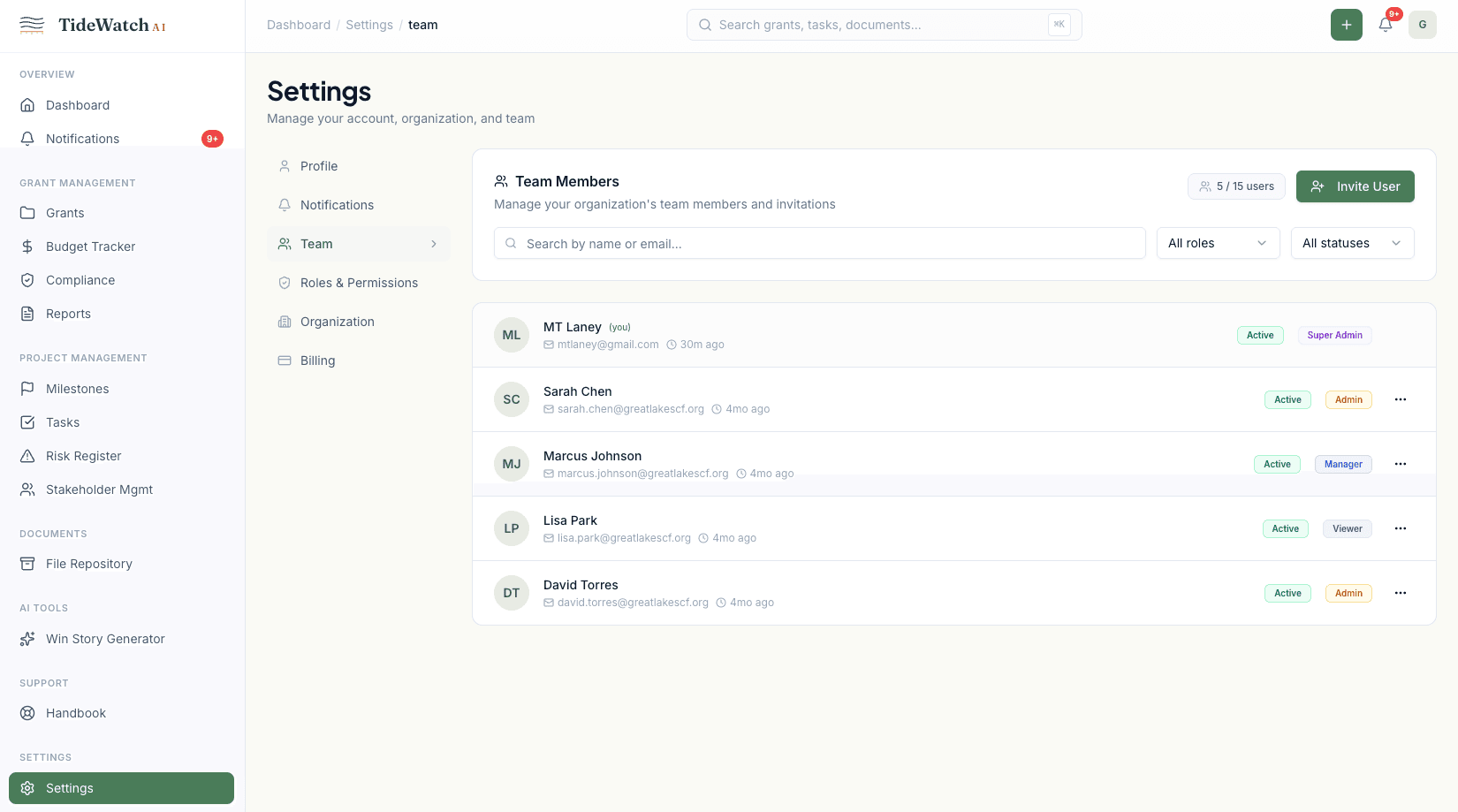
Click Invite Member
Enter the invitee's email address, choose their role, and optionally restrict them to specific grants. Click Send Invite.
Pick the right role
Use Manager for program leads who edit grant records. Contributor for staff who need to log expenses and complete compliance items but shouldn't be changing budgets or dates. Viewer for board members, funders, or external auditors.
What the invitee sees
The invitee gets an email with a one-click accept link. Once they set a password (or sign in with Google), they land straight in your organization's dashboard with the access you granted.
Manage existing members
Click any member's row to change their role, restrict them to specific grants, or deactivate their account. Deactivation is reversible for 30 days, then permanent.