Create your first grant
Set up an award record so TideWatch can track compliance, budgets, and milestones from day one.
Every dollar you manage starts with a grant record. This walkthrough covers the fastest way to enter one manually: the fields that matter most for compliance, and the ones you can safely skip and fill in later.
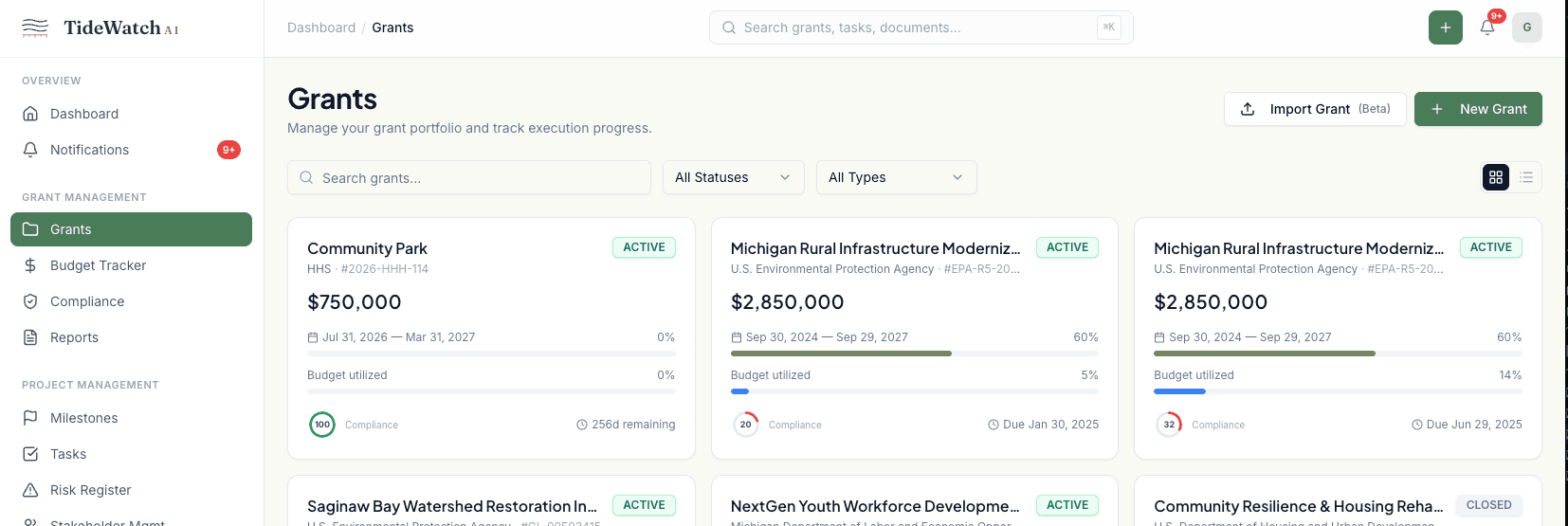
Open the New Grant dialog
From the dashboard, click Grants in the sidebar, then click the New Grant button in the top right. The three-step wizard opens with basics on the first screen.
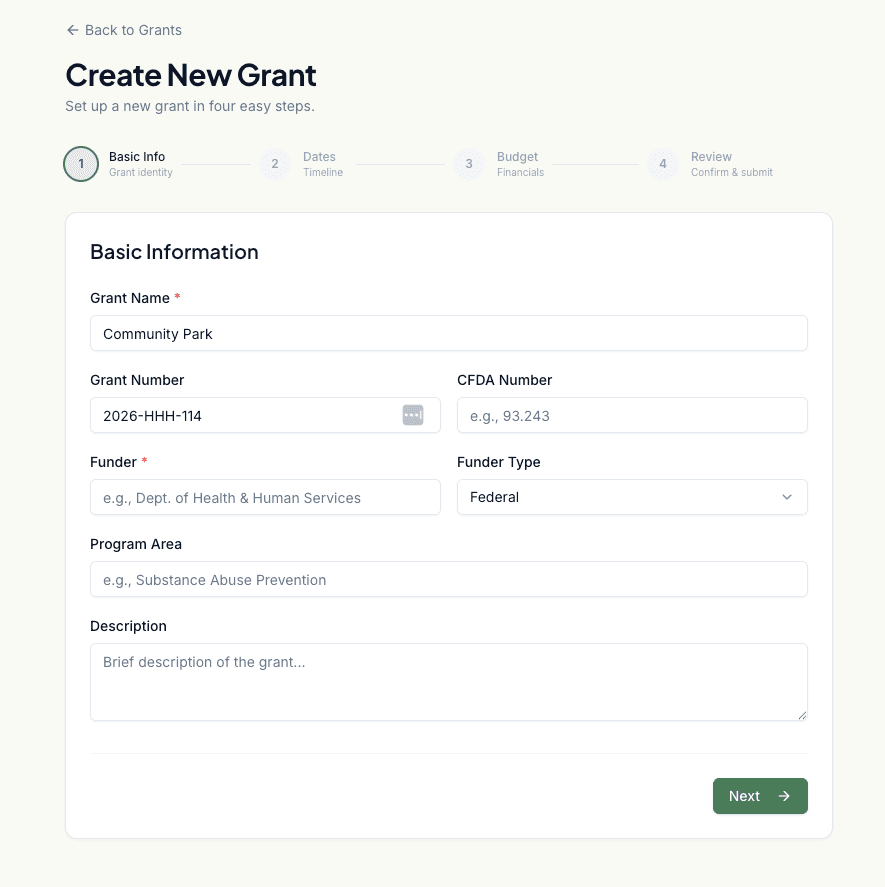
Fill in the basics
Enter the grant name, funder, program area, and award number. If your award has a CFDA number, add it here. The status defaults to Active, which is correct for most new records.
Set the money and the calendar
Enter the award amount, whether a match is required, the award date, start and end dates, and any closeout date the funder has specified. These four dates drive the compliance calendar for the whole grant.
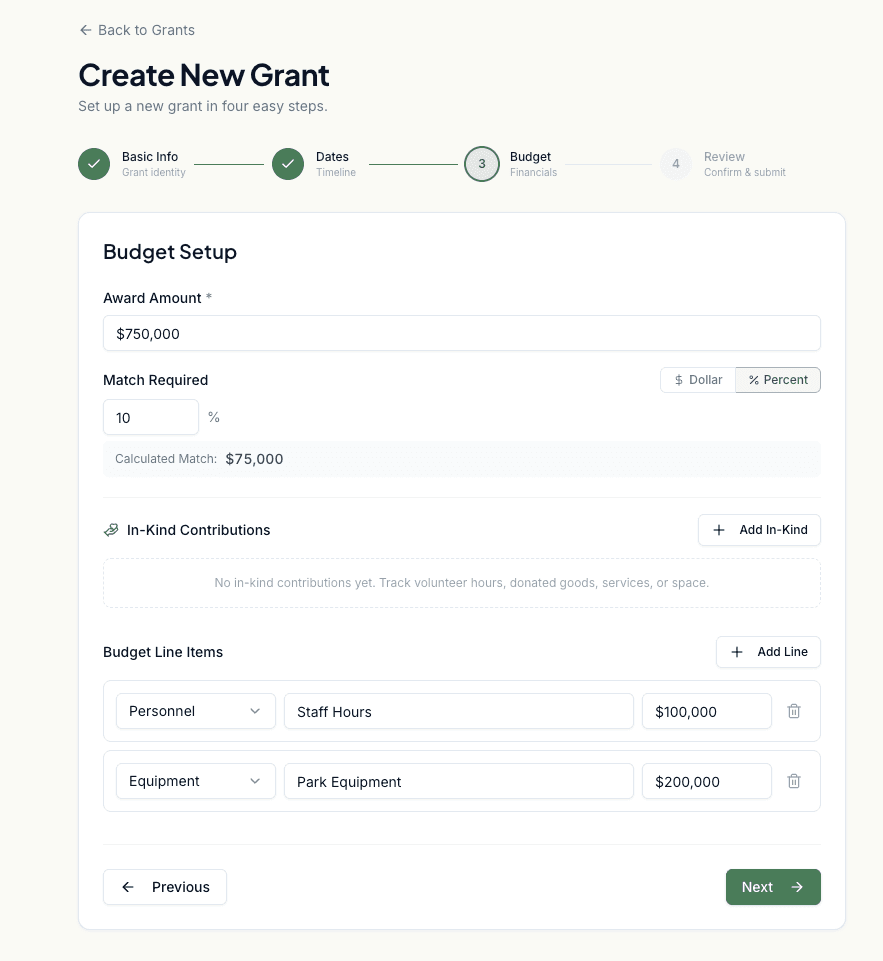
Add the first budget categories (optional)
You can enter budget line items now or add them later from the grant's Budget tab. If you know your top three or four categories (Personnel, Equipment, Travel, Indirect), enter them here so the burn-rate chart has data from day one.
Review and save
Step three shows a summary. Confirm the numbers, then click Create Grant. You'll be dropped straight into the new grant's overview page, ready to add milestones, compliance items, and team members.